SaraBiT Media — trusted newsroom technology partner

News websites · Newspapers · Regional publishers

SaraBiT Media CMS for Modern Newsrooms

Publish your news. Build your audience. Make more of every story.

A news content management system for your website, multilingual editions, ePaper, headline images, and branded reels. Give your newsroom the tools to take a story from draft to digital publication.

Starting a publication or moving an existing one? Let’s discuss your workflow.

Punjabi news website with section navigation, story photos, and regional-language headlines
A regional-language publication built with SaraBiT Media. Select a screenshot to view it full size.

Inside the newsroom

A workspace built around the story.

Prepare the article, add the featured image, and manage the details that make it ready for your readers. Keep your publishing work in a newsroom-focused CMS.

  • Reporter workspace. A focused interface for writing and editing news.
  • Regional publishing. Organise your language editions and sections.
  • Search presentation. Work with article metadata and search-ready page structure.
Explore the CMS features →
Reporter workspace showing an article title, rich-text editor, and featured image controls
The reporter editor: article content and image controls in one workspace.

One story. More ways to tell it.

Give your reporting a visual format.

Create branded headline images, vertical news reels, and newspaper-style clips from the stories your newsroom is already working on.

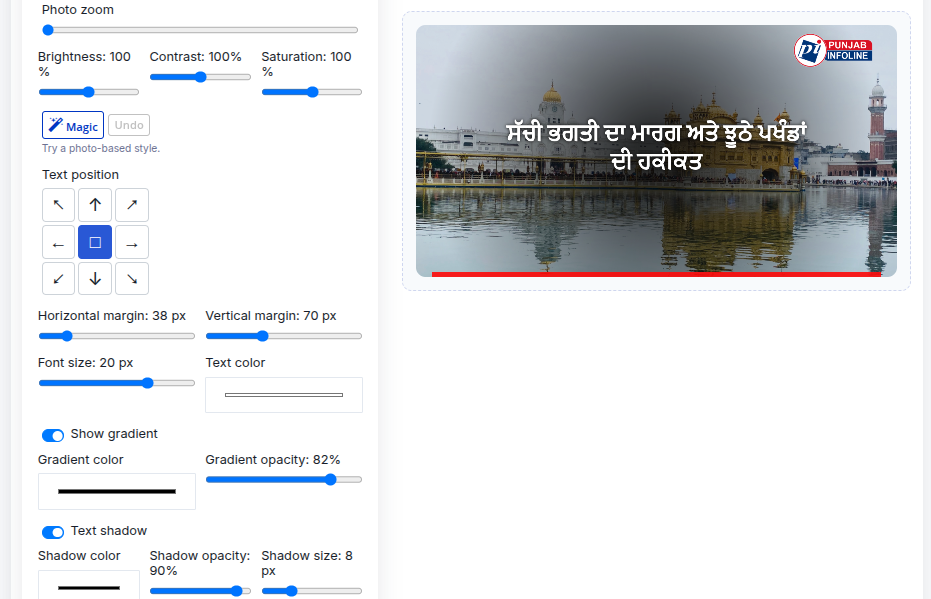
Headline image editor showing a Punjabi headline, story photo, publisher logo, and layout controls
Headline image editor with a live branded preview.

Headline images that look like your publication.

Combine your story photo, headline, and branding. Adjust the layout and colours before saving the finished image. A separate AI image generator is also available for illustrative visuals.

Explore the headline image maker →
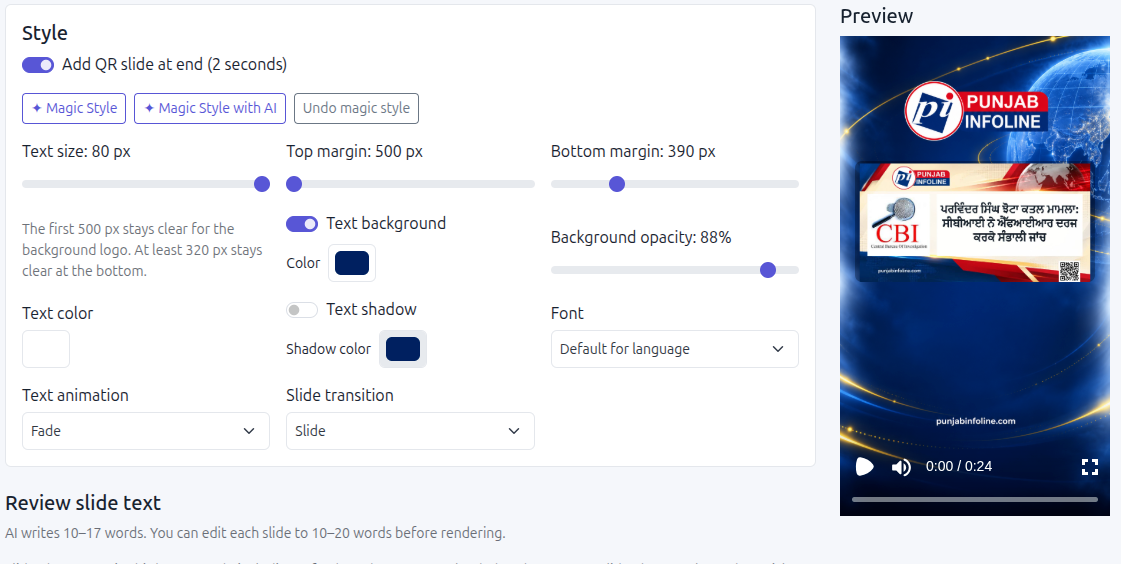
News Reel Maker with editable styling controls and a vertical branded video preview
News Reel Maker with editable slides and a video preview.

News Reel Generator

Create branded vertical news reels from article text, with optional story photos, motion, AI-drafted slides, and AI-generated voiceover from multiple voices. Review every output before sharing.

See how the Reel Maker works →
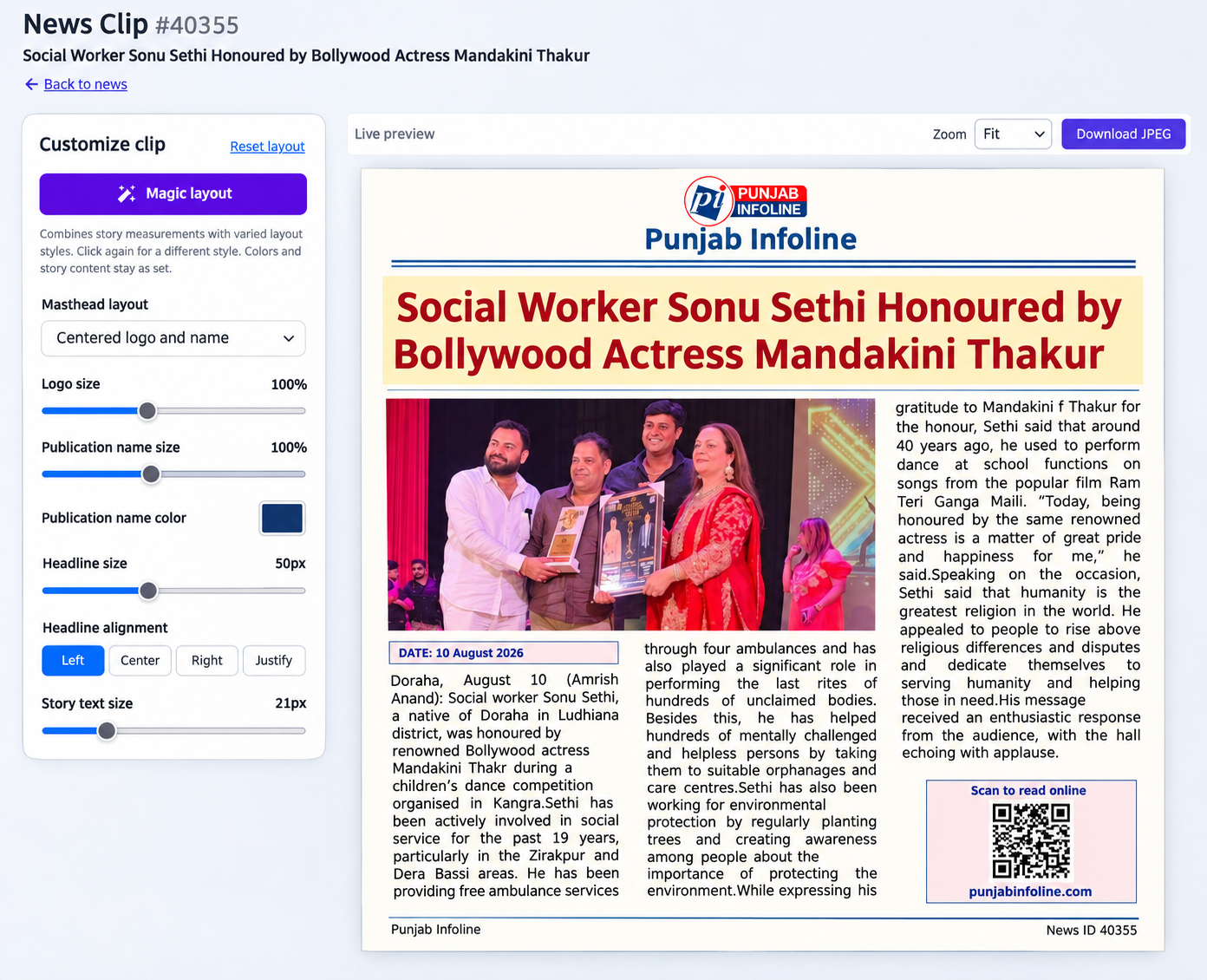
News Clip Generator with layout controls and a newspaper-style story preview
News Clip Generator with a live clipping preview.

News Clip Generator

Turn a published article into a newspaper-style clipping. Adjust columns, typography, photo crop, and image tone, then export a JPEG or PDF.

Explore the clip generator →

See how your own story works as an article, headline image, reel, and clip.

Ask for a product walkthrough

Your language. Your editions.

Keep your newspaper connected to its readers.

Publish regional-language news on the web and offer a familiar ePaper experience for readers who follow the daily edition.

Review your language scripts, section structure, edition archives, and mobile presentation together. Build the publishing setup around the communities you serve.

Daily Suraj ePaper archive with dated newspaper editions
A published ePaper archive with editions organised by date.
A reader with a printed newspaper, laptop, and coffee
Photo: Anna Keibalo / Pexels

A practical path to digital publishing

Start fresh. Or bring your archive with you.

Whether you are taking a print newspaper online or replacing an existing CMS, begin with a clear plan for the content, people, and publishing work that matter.

  1. Review your requirementsShare your website, languages, team workflow, and launch priorities.
  2. See the product with your storiesWalk through publishing, images, reels, and the modules you need.
  3. Agree the rolloutDefine migration, URL mapping, training, hosting, support, and costs in a written scope.
Discuss a CMS migration →

Plan the whole publishing business.

Your CMS decision also affects how readers find you, how your team works, and how you manage commercial opportunities.

Search & discovery

Review metadata, sitemaps, page structure, and archive navigation as part of your publishing setup.

News SEO · Discover readiness

A clear platform scope

Compare the CMS, optional modules, integrations, hosting, and ongoing support against your newsroom’s needs.

News CMS · CMS selection · Plans

Let’s look at your newsroom

See what SaraBiT Media can do for your publication.

Bring a few stories and the tasks you want to improve. We’ll walk through the relevant tools and discuss your launch or migration scope.

Tell us about

  • Your publication or current website
  • The languages and editions you publish
  • Your reporter and editor workflow
  • The tools you need and your launch timing

Looking for a proposal? Discuss scope and pricing.

Before you choose your news CMS

Can I move my existing news website to SaraBiT Media?

We can discuss migration of your articles, images, authors, and existing URLs. Share your website and approximate archive size so we can assess the source data, mapping, and launch requirements before quoting.

Does the CMS support regional languages and ePaper?

Yes. SaraBiT Media supports multilingual news publishing and ePaper workflows. Bring examples from your language editions to a demo so we can review the scripts, layouts, and edition structure you need.

Can SaraBiT add an AI voiceover to a news reel?

Yes. Generate narration from the reel script with text-to-speech and choose from multiple AI voices. Editors should review the script and narration before sharing. A text-only reel is also available when audio is not needed.

What does a news website cost?

The cost depends on your launch or migration scope, languages, design, optional modules, integrations, hosting, and support. Request a written proposal that separates setup, recurring fees, and usage charges.

What should I bring to a demo?

Bring your current website if you have one, the languages you publish in, a few sample stories, your reporter and editor requirements, and your preferred launch timing. We will use these to discuss the workflow and proposed scope.

Useful guides for your next step

Browse all publisher guides → · News portal software in India

Call Demo