A Short Script Checklist for Breaking News Reels
A practical slide-by-slide structure editors can adapt to a developing story without adding claims that the reporting has not confirmed.
Need help with your publication? Talk to SaraBiT Media
Quick answer
A breaking news reel script should include only what the newsroom has verified: the confirmed development, essential who/what/where/when details, attribution or context, and a clear route to the full report. Keep slides concise and check any AI-generated voiceover against the approved text.
Collect the verified details first
Before writing slides, list the current confirmed facts and the source for each one. Mark details that remain unknown, disputed, or subject to change. Keep a link to the latest article so the reel editor can check against the authoritative newsroom version.
Do not fill a short format with guesses. If the desk has only one confirmed update, a brief reel or text alert may be more responsible than forcing a longer script.
Use a flexible five-part outline
A starting outline is: (1) what has been confirmed, (2) where and when, (3) the key detail readers need, (4) attribution or context, and (5) where to follow the full report or next update. Remove any part that is not useful or not yet verified.
For example, write placeholders such as “[confirmed event]”, “[location]”, and “[official source]” during planning. Replace them only with facts confirmed in the story. This keeps the structure reusable without inventing sample breaking-news claims.
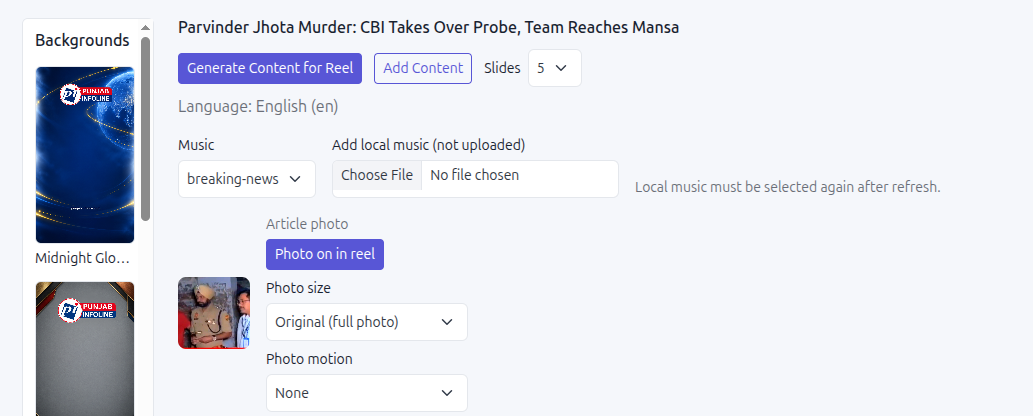
Write for slides and speech separately
The on-screen text must be easy to scan. The spoken narration can read naturally, but it should carry the same facts and qualifiers as the slides. If the sentence becomes too long when spoken, simplify it without removing necessary context.
SaraBiT Media can draft slides from the article and generate AI voiceover with multiple voices. Review every generated line, then listen to the narration for names, places, numbers, and pronunciation. An AI voice does not replace source checks.
Keep an update and correction note
Record the article version or update time used for the reel. When the story changes, compare the new version with the script and audio. Correct or withdraw any slide that is now inaccurate, and tell the distribution owner which file or post needs replacement.
This checklist can be part of an editor’s normal approval: verify source, wording, images, voiceover, version, caption, and link to the full article.
How SaraBiT Media fits
The SaraBiT News Reel Maker can start with an article-based slide draft and add text-to-speech narration from multiple AI voices. Editors retain final review of the script and voiceover.
Related Publisher Solutions
Move from research into the platform area most relevant to this guide.
More Publisher Guides
Browse related content on CMS selection, launch strategy, audience growth, and publishing operations.
Test the checklist in your reel workflow
Bring a recent update and use it to review slide drafting, voice selection, version handling, and approval in SaraBiT Media.