News Banner Generator for Branded Stories
Turn a story headline and image into a ready-to-publish banner inside the reporter dashboard. Choose a news frame or build a photo-based layout, review the live preview, and save the result as the story’s featured image.
From article to featured image
The generator keeps banner creation alongside the story the reporter is editing.
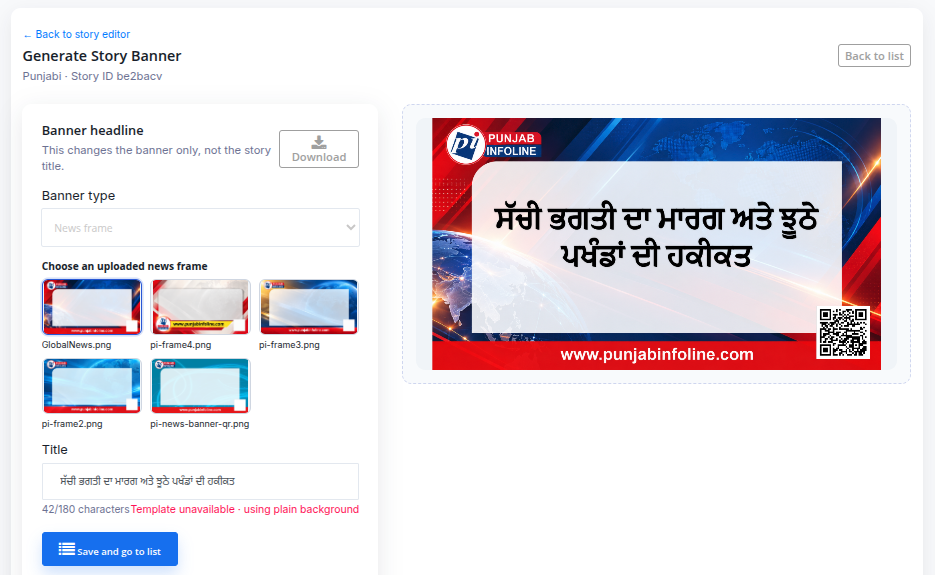
- Choose a layoutSelect an uploaded news frame or a Logo Only template for a photo-based banner.
- Shape the imageSet the banner headline, position the photo, and adjust text, color, gradient, shadow, and image tone while the preview updates.
- Save the bannerSave the finished image as the story’s featured image and return to the news list.
Control the look without leaving the story
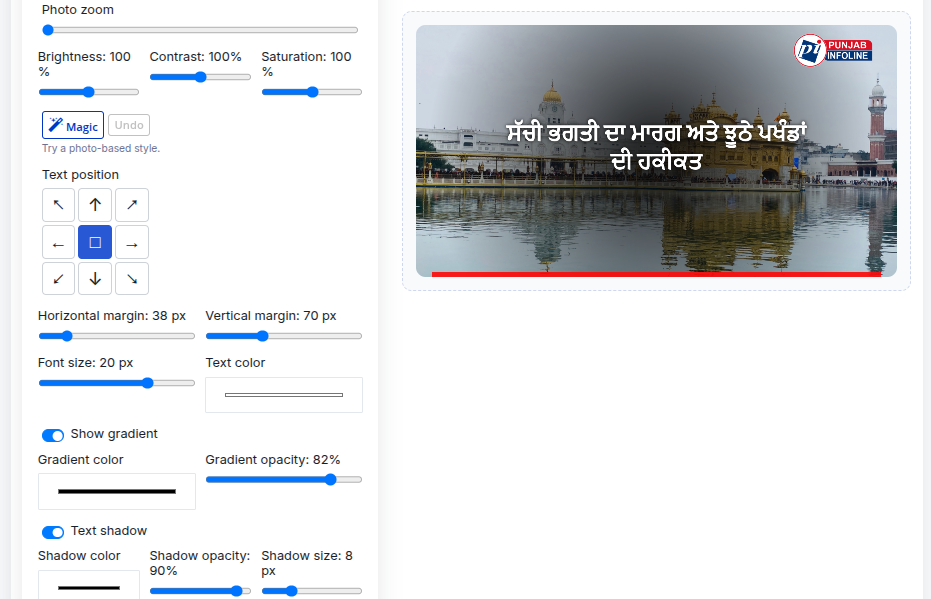
Upload a photo, drag it into place, and tune its brightness, contrast, saturation, and zoom. Position the headline with a compact direction control, then adjust margins, font size, text color, gradient, and shadow.
Magic samples the uploaded photo and suggests a readable color and layout combination. Reporters can try another variation, undo it, or continue adjusting every setting by hand. Magic uses browser-side image sampling; it does not use an AI model.
The original uploaded photo is used for that editing session. The finished banner is saved as the story’s featured image.
What publishers should know
Is this a separate design app?
No. The generator is part of the SaraBiT Media reporter dashboard and works with the story being edited.
Can reporters use their own photos?
Yes. Logo Only banners can use an uploaded photo. The source upload is not retained as a separate image; the finished banner becomes the story’s featured image.
Does Magic use AI?
No. Magic samples colors and quieter areas of the uploaded photo in the browser, then applies adjustable style settings.
Want branded banners in your publishing workflow?
Ask for a demo of story editing, banner creation, and featured image publishing in SaraBiT Media.