What to Expect from an Automatic Instagram Reel Maker
Automation can prepare a first version faster, but newsrooms still need to review facts, visuals, narration, and context.
Need help with your publication? Talk to SaraBiT Media
Quick answer
An automatic reel maker can help assemble a first draft from story text, selected photos, and a template. It should not replace editorial review. SaraBiT supports manual or AI-drafted slides and optional text-to-speech voiceover with multiple AI voices; editors check the finished reel before sharing.
Automation should shorten production steps
An automatic reel maker may help turn story points into a sequence, apply a visual style, or generate narration. For a publisher, the useful outcome is a reviewable draft tied to a real article—not a video that invents details or publishes without oversight.
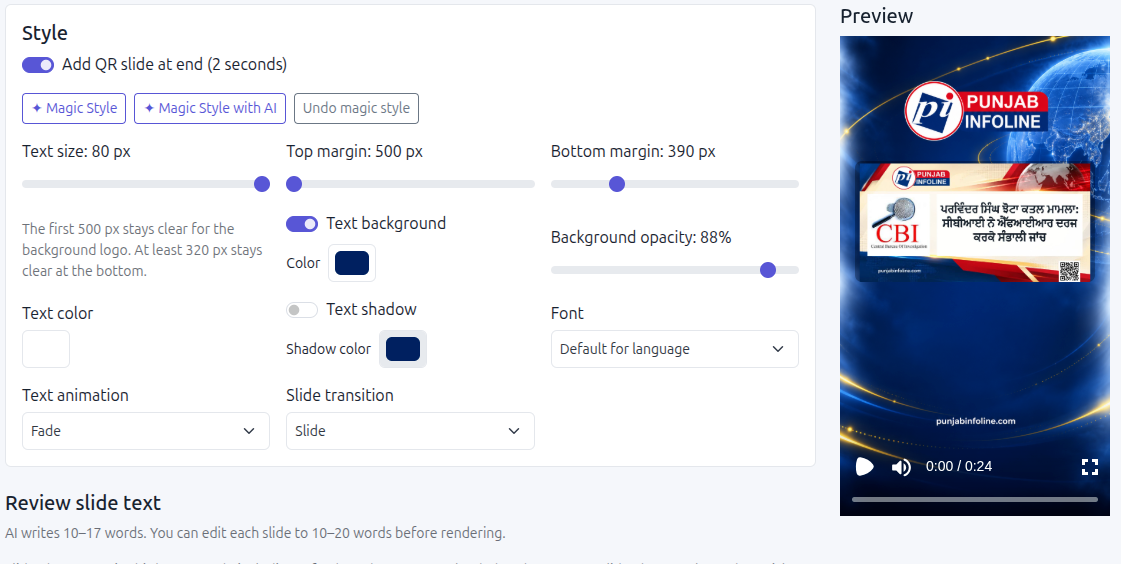
SaraBiT’s workflow lets a team write slides or start with an AI draft, choose optional article photos, and generate voiceover from text using multiple AI voices.
Keep a human review before distribution
Check names, dates, numbers, locations, attribution, and the order of events against the approved article. Review whether the opening line is accurate and whether a short reel still conveys uncertainty or qualifications in the reporting.
Listen to the AI voiceover and check pronunciation and pacing. Confirm the photo belongs with the story and that the text remains readable on a phone.
Know what the workflow does and does not automate
A reel generator can help prepare a video asset; channel distribution, account access, licensing, and correction handling may be separate steps. Confirm those details in the product workflow instead of assuming that every online reel maker publishes directly to Instagram.
Keep a link to the source article and a clear owner for corrections. If the article changes after the reel is prepared, review the reel before reusing or sharing it.
Evaluate it with two real stories
Try one routine story and one fast-moving update. Compare the time to create slides, add narration, make edits, and complete editorial checks. Ask the newsroom whether the output is consistent and whether the saved steps justify adopting the tool.
A SaraBiT walkthrough can demonstrate the article-to-reel path, AI-drafted and manually written slides, and optional text-to-speech narration.
How SaraBiT Media fits
SaraBiT’s News Reel Maker supports a manual slide workflow or optional AI drafts, article photos, and AI text-to-speech narration with multiple voices. The newsroom reviews and distributes the exported reel.
Related Publisher Solutions
Move from research into the platform area most relevant to this guide.
More Publisher Guides
Browse related content on CMS selection, launch strategy, audience growth, and publishing operations.
See the article-to-reel workflow
Use a published story to review drafting, voiceover, editing, and the newsroom approval step in a SaraBiT demonstration.