How to Choose a Clear Cover for a News Reel
A reel cover should identify the story accurately and remain readable at a small size in a publisher’s profile grid.
Need help with your publication? Talk to SaraBiT Media
Quick answer
A news reel cover should use a short, accurate headline, a relevant image or branded background, and a clear visual hierarchy that stays readable at thumbnail size. Check the cover against the current article and avoid wording or imagery that makes the report sound more certain or dramatic than it is.
Let the cover identify the story
A cover is often seen before the reel plays, so use it to help readers recognize the subject. Choose a short phrase from the approved story, retain the essential context, and avoid turning a question or early report into a definite claim.
If the article changes, recheck the cover text and image before sharing the reel again. A striking cover that no longer matches the reporting can mislead readers even when the video itself has been corrected.
Design for small screens and profile grids
Keep the headline brief, use strong contrast, and leave enough space around text so it remains readable when the cover appears small. Use the publication’s logo or brand treatment consistently without making it compete with the story information.
Preview the image at the size readers will encounter it. Check cropping and safe areas in the current Instagram interface before relying on a particular layout or placement.
Use imagery that reflects the reporting
Choose a photo that is genuinely connected to the article and cleared for the intended use. If there is no appropriate image, a branded background can be more honest than a generic dramatic picture. Do not use generated or illustrative art in a way that readers could mistake for documentary evidence.
SaraBiT Media’s News Reel Maker supports branded vertical reels with optional article photos. Editors can compare the visual preview with the source story before approving the output.
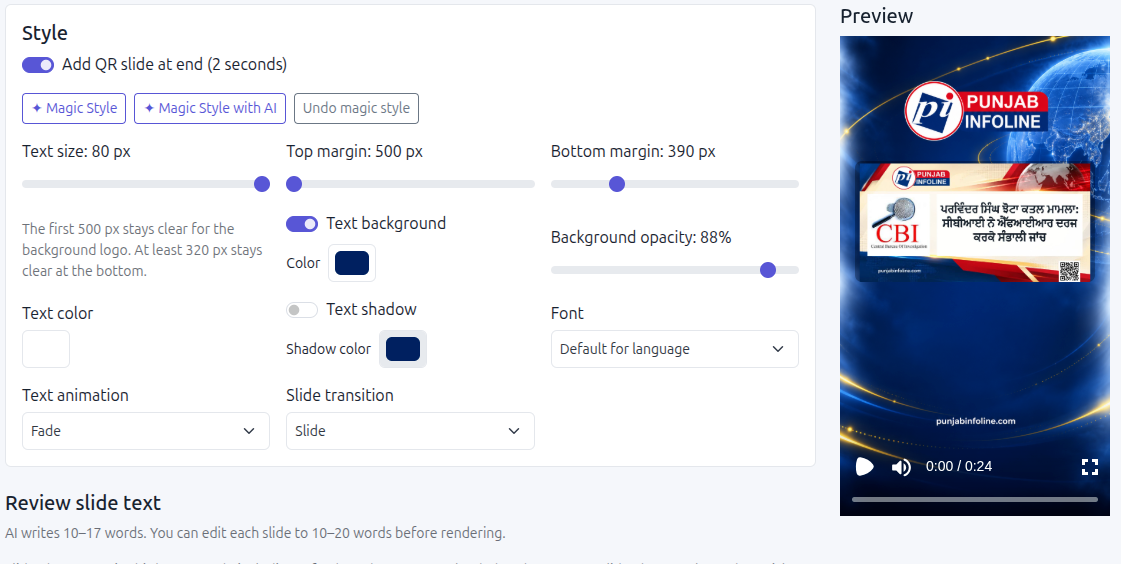
Review the cover with the finished reel
Check that the cover headline, reel slides, narration, and article headline tell the same story. Verify names, figures, dates, attribution, and image context together rather than approving the cover in isolation.
Use one real story to review the complete reel appearance and confirm what cover or thumbnail controls are available in your publishing workflow.
How SaraBiT Media fits
SaraBiT Media’s News Reel Maker supports branded vertical reels, editable slides, and optional article photos. Confirm the cover or thumbnail workflow available for your selected publishing setup.
Related Publisher Solutions
Move from research into the platform area most relevant to this guide.
More Publisher Guides
Browse related content on CMS selection, launch strategy, audience growth, and publishing operations.
Review a branded reel against your story
Bring an article and its current visual identity. We can demonstrate the reel editor and confirm how your team prepares the final cover.