Use News Photos in Reels Without Misleading Viewers
A relevant, verified photo can add context to a reel. Check its source, rights, date, and relationship to the story before placing it beside AI-drafted text or narration.
Need help with your publication? Talk to SaraBiT Media
Quick answer
Before using a photo in an AI-assisted news reel, confirm who created it, whether the publication has permission, when and where it was taken, and whether it actually depicts the story described. Keep captions and labels clear when an image is illustrative or archival. If no appropriate photo is available, use a branded text background instead of a misleading visual.
Check the photo’s source and rights
Confirm the photographer or source, the applicable permission, and any credit or usage limits before adding a photo to a social video. A picture visible in an article is not automatically cleared for every reuse or platform.
Keep the photo’s provenance with the story so the person preparing the reel can confirm the correct file and credit.
Make sure the image represents this report
Check the date, location, people, and context. An archive photo may be useful when clearly identified, but it should not look like a current image from the event. Avoid cropping or overlays that change what viewers infer from the original scene.
SaraBiT Media’s News Reel Maker can use optional article photos or a branded background. If there is no suitable, cleared image, a text-led slide is a safer choice than a generic visual presented as proof.
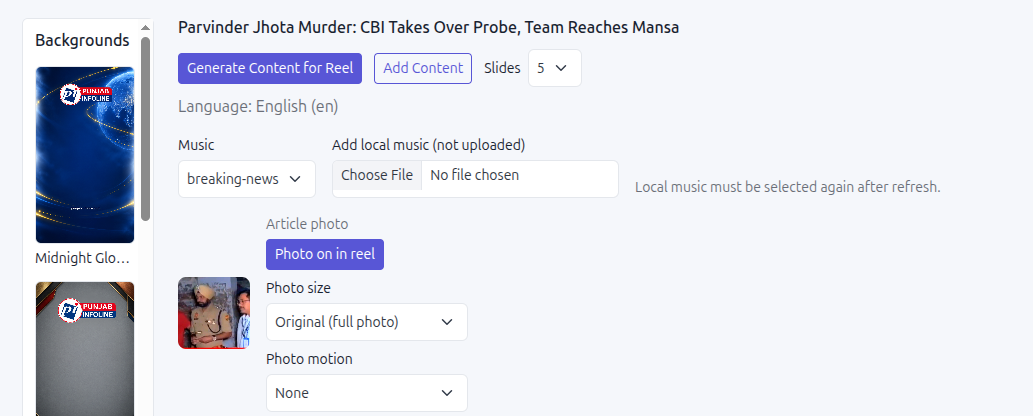
Review the photo beside the AI-assisted script
AI-drafted words and voiceover can make a reel faster to prepare, but they do not confirm that the selected photo is accurate. Check the picture against the article and review how it appears beside the headline, narration, and other slides.
For generated or illustrative visuals, follow the newsroom’s labeling policy and use a treatment that cannot easily be mistaken for documentary photography. Do not imply a capability or source that the visual does not have.
Keep a quick visual review in the approval step
Before export, confirm the image credit, story relevance, legibility, and any required label. Watch the full reel to catch a slide where an image changes the meaning or feels out of context.
A product walkthrough can use an article photo from your own newsroom to show where visuals enter the reel and how the finished video is reviewed.
How SaraBiT Media fits
SaraBiT Media supports optional article photos and branded backgrounds in its reel workflow. The publisher remains responsible for photo verification, rights, credits, contextual labeling, and final review.
Related Publisher Solutions
Move from research into the platform area most relevant to this guide.
More Publisher Guides
Browse related content on CMS selection, launch strategy, audience growth, and publishing operations.
Review your photo-to-reel workflow
Bring an article with a cleared photo and its source details. We can demonstrate the reel workflow and identify the visual review step.